- Published on
- · July 10, 2026
Docker: What It Is, How It Works, and Essential Commands
- Blog

- Henrico Piubello
- Henrico Piubello
- IT Specialist - Grupo Voitto
IT Specialist - Grupo Voitto
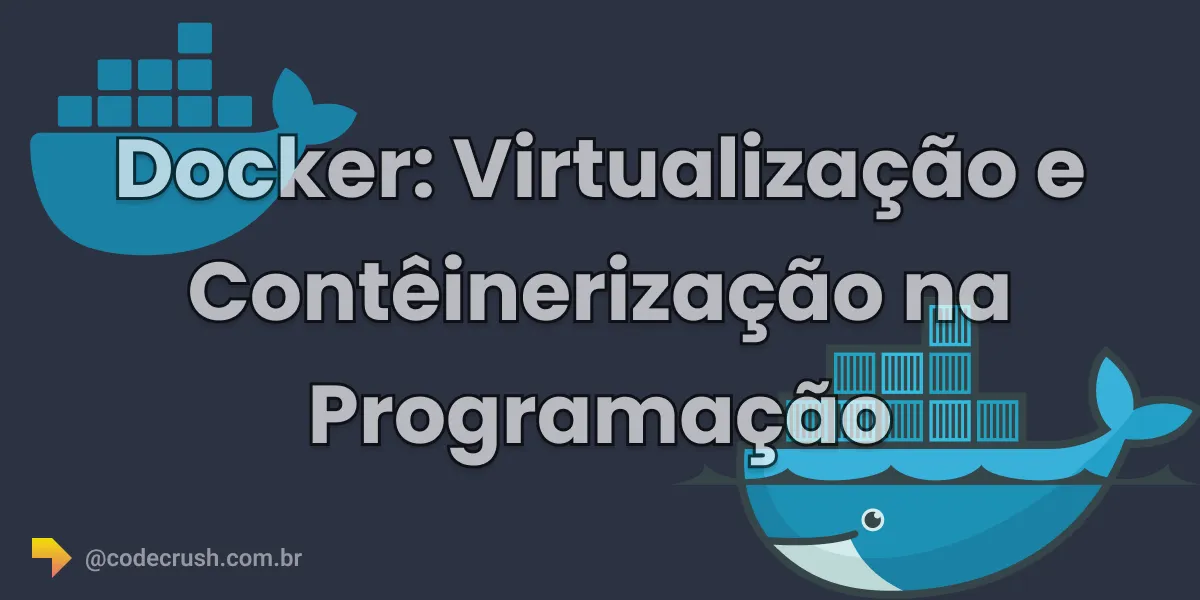
Docker is an open-source platform that packages applications and dependencies into containers: lightweight, portable, isolated units that run identically in any environment. Unlike virtual machines, containers share the host kernel and consume far fewer resources.
- What is Docker?
- How does Docker work?
- What is the difference between Docker and virtual machines?
- What are the advantages of Docker?
- First steps with Docker
- Main Docker commands
- Conclusion
What is Docker?
Docker is an open-source platform that lets you create, distribute, and run applications in containers. A container is a lightweight, portable unit that packages all the software needed to run an application — code, libraries, dependencies, and configurations — into a single package that behaves the same on the developer laptop, the test server, and production.
Docker relevance is measurable: according to the Stack Overflow Developer Survey 2025, Docker was the most used development tool of the year, with 71% adoption among respondents — a jump of 17 percentage points over 2024, the largest recorded among all surveyed technologies.
Unlike virtual machines (VMs), which virtualize the entire hardware, Docker containers virtualize only the operating system they run on. This architecture choice makes them lighter, faster to start, and more efficient in CPU (Central Processing Unit), memory, and disk usage.
How does Docker work?
Docker works from three pieces: the image, the container, and the Docker Engine. The image is an immutable template, described in a file called Dockerfile, that defines the base system, dependencies, and application commands. The container is a running instance of that image. The Docker Engine is the service that builds images and manages the container life cycle on the host.
The typical workflow follows this order: the developer writes a Dockerfile, builds the image with docker build, tests locally with docker run, and publishes the image to a registry like Docker Hub, from where any server can download it with docker pull. All interaction happens through the Docker command-line interface (CLI).
This model is the foundation of modern DevOps practices: the same image validated in development is promoted to production without changes, reducing configuration errors across environments.
What is the difference between Docker and virtual machines?
The core difference is the level of virtualization: Docker virtualizes the operating system and shares the host kernel across containers, while a virtual machine emulates the full hardware and loads an entire guest operating system for each instance. That is why containers start in seconds and VMs in minutes.
| Criterion | Docker container | Virtual machine (VM) |
|---|---|---|
| Virtualized level | Operating system (kernel) | Full hardware (hypervisor) |
| Boot time | Seconds | Minutes |
| Resource consumption | Low, shared kernel | High, one OS per instance |
| Isolation | By process and namespace | Total, at the hardware level |
| Typical size | Tens or hundreds of megabytes | Several gigabytes |
| Common use case | Microservices, CI/CD, deploys | Legacy systems, different OSs |
This lightness explains why containers dominate the cloud. In the CNCF (Cloud Native Computing Foundation) annual survey, 82% of container users ran Kubernetes in production in 2025, up from 66% in 2023 — and the report announcement describes Kubernetes, the container orchestrator, as "the de facto 'operating system' for AI", the de facto operating system for AI (Artificial Intelligence).
What are the advantages of Docker?
Docker offers four main advantages for programmers: portability, isolation, resource efficiency, and speed. Together, they standardize environments, reduce dependency conflicts, and shorten the cycle between writing code and putting it into production.
Portability
Docker containers run anywhere the Docker Engine is installed: on your laptop, in a local data center, or on providers like AWS, Azure, and Google Cloud. This ensures consistency across development, test, and production environments.
Isolation
Each Docker container is isolated from the others: changes in one container do not affect other containers or the host system. Two applications can use different versions of the same library on the same server without conflict.
Resource efficiency
Docker containers share the operating system kernel with the host, so they consume less memory and disk than virtual machines. In practice, the same server runs many more containers than equivalent VMs.
Speed
Docker containers start and stop in seconds, which speeds up local testing, continuous integration and delivery (CI/CD) pipelines, and deploy strategies with fast rollback.
First steps with Docker
To start using Docker in a project, follow these steps:
- Install Docker on your operating system following the official installation guide, available for Windows, macOS, and Linux.
- Validate the installation by running
docker run hello-worldin the terminal — if you are new to the topic, review the fundamental terminal commands first. - Pull a ready-made image from Docker Hub with
docker pull, such asnginxorpostgres, and run a container withdocker run. - Write a Dockerfile for your application, declaring the base image, dependencies, and startup command.
- Build and run your image with
docker buildanddocker run, and integrate the process into your CI/CD pipeline when it is stable.
You do not need to master a specific language to operate Docker: the CLI handles day-to-day work. For programmatic automation, the Docker Engine exposes an API with official SDKs in Go and Python.
Main Docker commands
The ten commands below cover the routine of anyone working with containers. The complete reference is in the official Docker CLI documentation.
- docker run: creates and starts a Docker container from an image.
docker run image_name
- docker ps: lists running containers on the system. With the
-aoption, it lists all containers, regardless of state.
docker ps
- docker stop: stops a running container, identified by ID or name.
docker stop container_id
- docker start: starts a container that was previously stopped.
docker start container_id
- docker restart: restarts a running container.
docker restart container_id
- docker pull: downloads a Docker image from a registry, such as Docker Hub, to the local system.
docker pull image_name
- docker build: creates a Docker image from a Dockerfile, which contains the build instructions.
docker build -t image_name dockerfile_path
- docker rm: removes one or more Docker containers, identified by ID or name.
docker rm container_id
- docker rmi: removes one or more Docker images from the system.
docker rmi image_name
- docker exec: runs a command inside a running container.
docker exec container_id command
Conclusion
Docker has ceased to be a differentiator and become basic literacy: when 71% of developers use the tool and 82% of container users run Kubernetes in production, not knowing how to containerize an application is what stands out in the market. The CodeCrush practical recommendation is straightforward: install Docker today, containerize a personal project end to end — Dockerfile, build, run — and only then move on to orchestration. This foundation pays dividends in any career involving backend, data, or infrastructure.
Recommended for this topic
Picked by the editors — only what we would use.
## faq
Frequently asked questions
What is Docker for?
Docker exists to package an application with all its dependencies into a container that runs identically in any environment. It eliminates the classic "works on my machine", accelerates testing and deployments, and is the foundation of modern CI/CD flows, microservices, and cloud computing.
Docker vs virtual machine: which to choose?
Choose Docker when you need fast startup, high application density, and portability across environments. Choose virtual machines when you need total hardware isolation or different operating systems on the same server. In practice, many companies combine the two: Docker containers running inside cloud VMs.
Do I need to know how to program to use Docker?
It is not mandatory. Basic operations, such as pulling images and starting containers, use simple terminal commands. However, programming and shell knowledge helps write efficient Dockerfiles, automate builds, and integrate Docker into CI/CD pipelines, which greatly expands the tool value in day-to-day work.
Which language is used to manage Docker?
No specific language is required: management is done through the Docker CLI in the terminal. To interact programmatically, there are official SDKs in Go and Python, plus community libraries for JavaScript and other languages, all consuming the Docker Engine API documented by Docker itself.
Is it worth learning Docker in 2026?
Yes. In the Stack Overflow Developer Survey 2025, Docker was the most used development tool, with 71% adoption. Containers are a prerequisite for Kubernetes, DevOps, and cloud computing, and the knowledge appears as a frequent requirement in backend, infrastructure, and data job postings.
Topics in this article
## continue lendo
Artigos relacionados
Keep browsing
Previous article

Simpson's Paradox: when aggregated data deceives
Simpson's Paradox occurs when a trend seen in subgroups disappears or reverses when the data is aggregated. See why it happens and how to handle it in Python.
Read moreNext article
How to integrate MongoDB with Next.js: step by step
Learn to integrate MongoDB with Next.js using the official with-mongodb example: create the app, configure MONGODB_URI, and deploy to Vercel.
Read moreAbout the author
