- Published on
- · July 10, 2026
Cowsay API: how to use the talking cow in the terminal
- Blog

- Henrico Piubello
- Henrico Piubello
- IT Specialist - Grupo Voitto
IT Specialist - Grupo Voitto
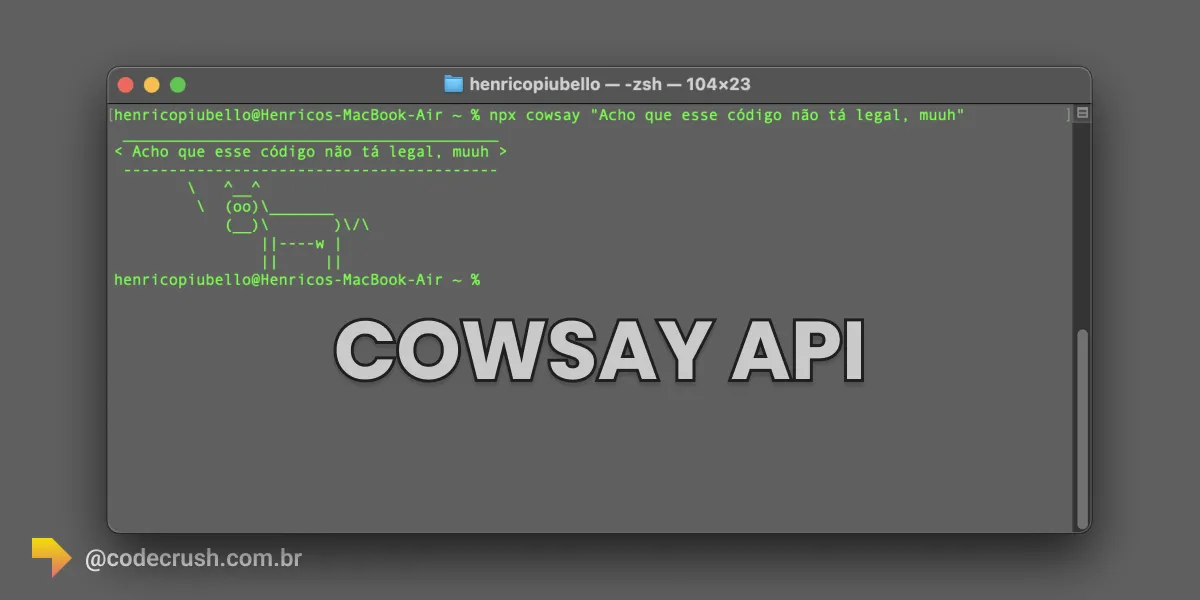
Cowsay is a command-line tool that displays text messages in the speech bubble of a cow drawn in ASCII (American Standard Code for Information Interchange). Created in Perl by Tony Monroe in 1999, it gives personality to scripts and warnings in the Linux, macOS and Node.js terminal.
- What is Cowsay?
- How to install and use Cowsay in the terminal?
- Customizing Cowsay: flags, cowfiles and cowthink
- When to use Cowsay in real projects?
- Cowsay, Fortune or Figlet: which to choose?
What is Cowsay?
Cowsay is a CLI (command-line interface) program written in Perl that prints to the terminal a cow in ASCII art "speaking" the message the user provides. The official manual defines it, with humor, as "configurable speaking/thinking cow (and a bit more)" — a configurable speaking (or thinking) cow, and a bit more, according to the cowsay man page.
Tony Monroe released Cowsay in 1999, inspired by the ASCII cow culture of the University of California Berkeley computer science community, as reported on the official project site. In 2016, Monroe published the final version 3.04 of the original code and the community took over maintenance through the fork cowsay-org/cowsay, maintained by Andrew Janke.
The fun continues alive in the JavaScript ecosystem: the npm cowsay package, maintained by Fabio Crisci under the MIT license and at version 1.6.0, recorded 88,679 downloads in the week of July 2-8, 2026, according to the public npm downloads API. Although popularly searched as "Cowsay API", it works both as a terminal command and as a JavaScript API importable in Node.js applications.
Beyond the fun, Cowsay has practical utility: visually highlighting important messages in scripts, builds and shared terminal sessions.
How to install and use Cowsay in the terminal?
To install Cowsay, use your operating system package manager or the npm from Node.js. The full process takes less than a minute:
- Install via the system package manager: on Ubuntu and Debian derivatives, run
sudo apt-get install cowsay; on other Linux distributions, use the equivalent (yum,dnf,pacman). - Or install via npm: with Node.js configured, run
npm install -g cowsay. If you have doubts about npm and yarn, see our package managers guide. - Run the command with your message: type
cowsay "Hello World!"and the cow appears in the terminal with the text in the speech bubble. - Test without installing anything: run
npx cowsay "Hello World!"— npx, the npm package runner, downloads and runs the package on the spot.
In the terminal, the result looks like this:
cowsay "Hello World!"
Or, using npx:
npx cowsay "Hello World!"
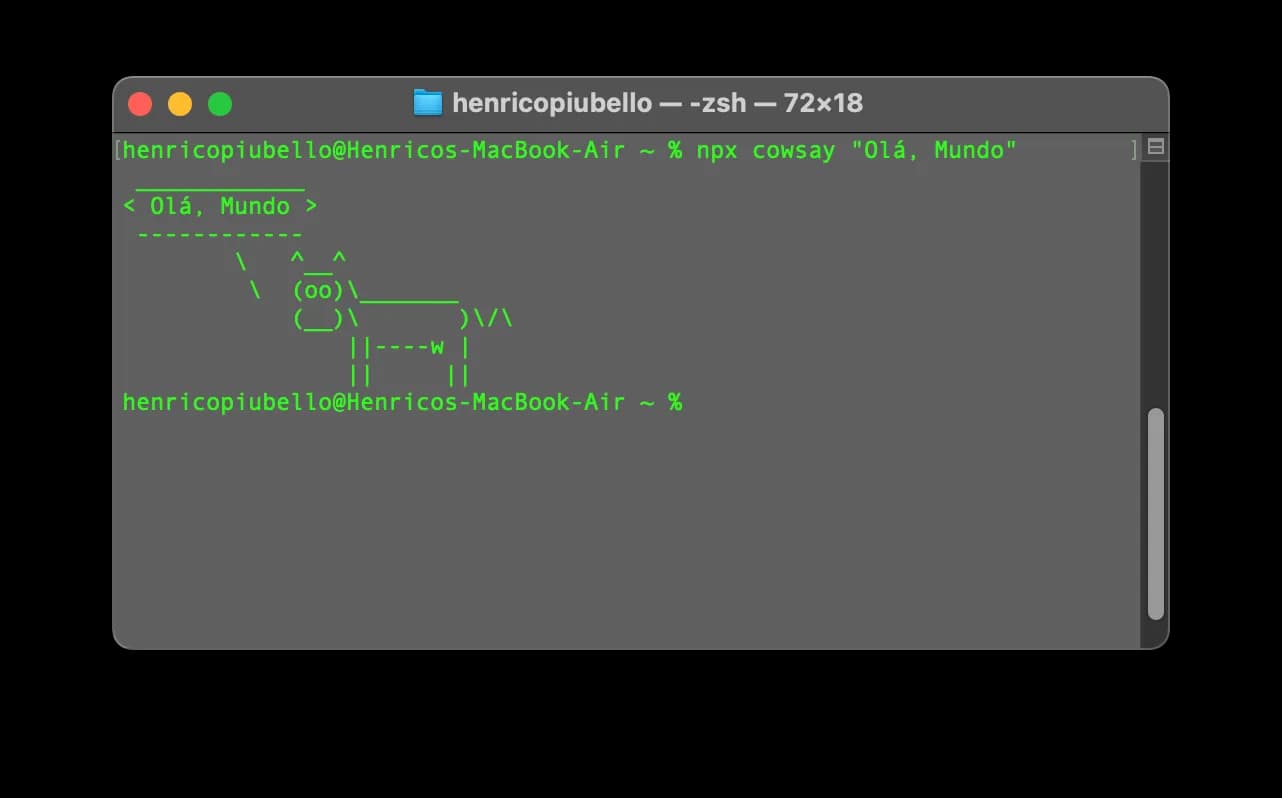
The npm package also works as a module inside code. Just import and call the say function:
const cowsay = require('cowsay')

console.log(cowsay.say({ text: 'Hello, CodeCrush!' }))
This programmatic usage is useful for generating messages in your own command-line tools, without depending on the system-installed binary.
Customizing Cowsay: flags, cowfiles and cowthink
Cowsay accepts flags that change the character, the eyes and even the bubble shape. The main options documented in the manual are:
-f <cowfile>: switches the cow to another character (a "cowfile"). Example:cowsay -f tux "Hello Tux!"displays the Linux penguin.-l: lists all available cowfiles on the system.-e <eyes>: customizes the character eyes with two characters, like-e "^^".-T <tongue>: sets the character tongue, like-T " U".cowthink: invoked instead ofcowsay, makes the cow "think" the message in a cloud bubble.
See the example with Tux:
npx cowsay -f tux "Hello Tux!"
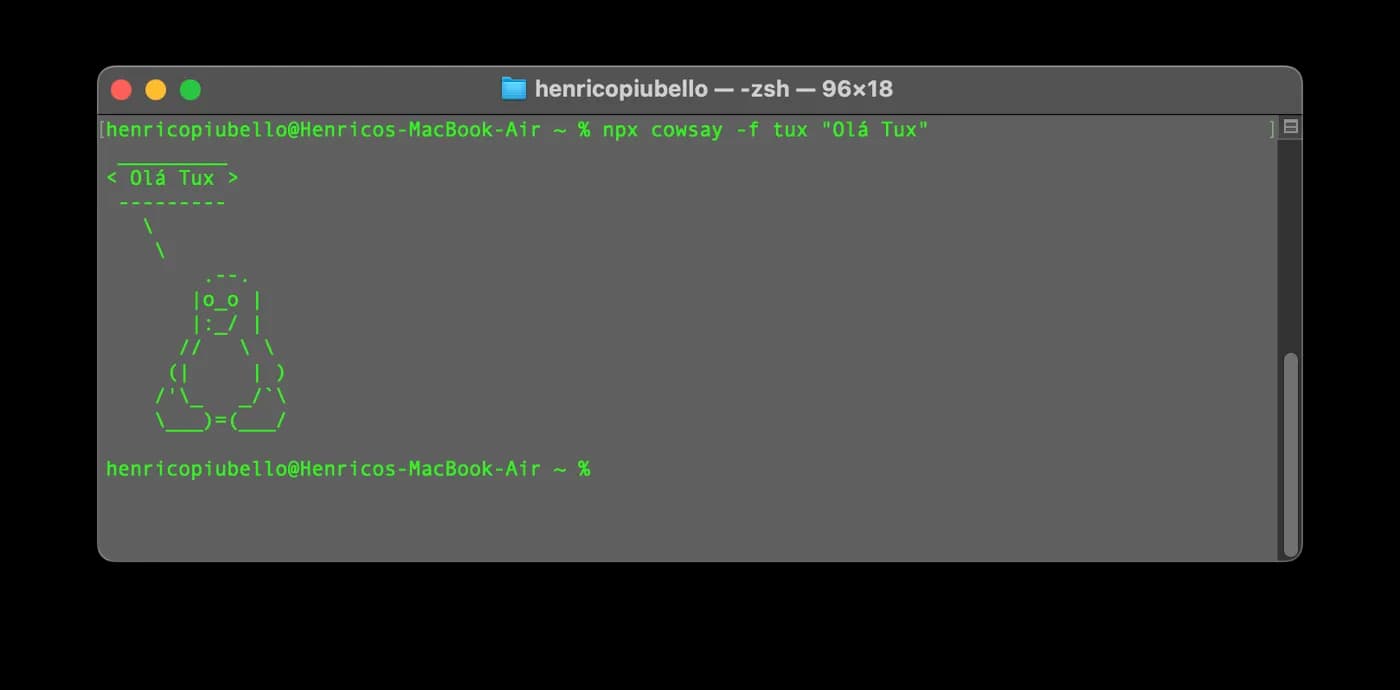
Those who want to go further can create custom cowfiles: they are simple text files that define the ASCII drawing, and the format is documented in the official cowsay repository.
When to use Cowsay in real projects?
Cowsay is ideal whenever you want to highlight a message in the terminal in a way that is impossible to ignore — and draw a smile in the process. The most common uses among developers are:
- Signal script status: display success or failure of a build or deploy with a different character for each result.
- Create welcome messages: add Cowsay to the shell startup file to greet the team with a quote of the day.
- Make warnings visible on shared servers: an ASCII cow draws more attention than a common log line.
- Teach terminal concepts: Cowsay is a fun first command for those learning the fundamental terminal commands.
In serious production pipelines, use in moderation: the fun is in the contrast, not in repetition.
Cowsay, Fortune or Figlet: which to choose?
The choice depends on the desired effect: Cowsay gives voice to a character, Fortune draws quotes and Figlet turns text into a banner. The table summarizes the classic options for terminal fun:
| Tool | What it does | Best use |
|---|---|---|
| Cowsay | ASCII character speaks your message | Fun feedback in scripts |
| cowthink | Cow "thinks" the message in a cloud bubble | Subtle Cowsay variation |
| Fortune | Draws random quotes and proverbs | Login messages and quote of the day |
| Figlet | Converts text into giant ASCII letters | Banners and titles in the terminal |
| lolcat | Colors the output of other commands | Combine with Cowsay and Figlet |
The tools combine well with each other: the pipeline fortune | cowsay is a classic of Unix terminals, making the cow "speak" a random quote on each run.
Conclusion
Cowsay proves that not every tool needs to solve a serious problem to deserve a place in your terminal: sometimes the value is in humanizing the daily life of those who program. Install with one command, customize with -f and use the npm version when you want the cow inside your own JavaScript code. Here at CodeCrush, the recommendation is practical: adopt Cowsay at the points in the flow where a message needs to be seen — and let the cow work for your deploy.
Recommended for this topic
Picked by the editors — only what we would use.
A Casa dos Importados
Hub Usb 2.0 c/7 Portas Pen Drive Teclado 480mbps Hd
Bookcenter RJ
Kit Upgrade INTEL I5 4570 + Placa Intel H81 + Memória 8 GB+ Cooler
MultGo Oficial
Hub USB 3.0 Tipo C Adaptador 4 em 1 Premium Alta Velocidade de Transmissão
## faq
Frequently asked questions
What is Cowsay for?
Cowsay is used to display text messages in the terminal inside the speech bubble of an ASCII cow. Developers use it to give visual feedback in scripts, highlight warnings in build pipelines and create fun welcome messages on servers and development environments.
Is Cowsay an API or a command-line tool?
Cowsay is, at its origin, a command-line tool written in Perl. The npm cowsay package, however, also exposes a JavaScript API: just import the module and call cowsay.say() to generate the ASCII cow inside Node.js applications, without depending on the system-installed binary.
How to install Cowsay on Ubuntu?
On Ubuntu and other Debian derivatives, run sudo apt-get install cowsay in the terminal and then run cowsay "your message" to test. If you prefer the JavaScript ecosystem, install with npm install -g cowsay or run without installation using npx cowsay, available alongside Node.js.
How to change the Cowsay cow to another character?
Use the -f flag followed by the cowfile name, like cowsay -f tux "Hello!" to display the Linux penguin. The cowsay -l command lists all installed characters. It is also possible to create custom cowfiles, text files that define new ASCII drawings.
Cowsay vs. Figlet: what is the difference?
Cowsay draws an ASCII character speaking your message inside a bubble, while Figlet turns the text itself into giant ASCII art letters. The tools are complementary: many developers combine both in scripts to create eye-catching banners and status messages.
Topics in this article
## continue lendo
Artigos relacionados


Keep browsing
Previous article

How to get started with React: a step-by-step guide
React is the most used JavaScript library for building web interfaces. Learn to create your first app with Node.js, npx, and Vite step by step.
Read moreNext article

Facebook Graph API: what it is and how to implement
The Graph API is Meta official HTTP interface for reading and publishing Facebook data. See how to register the app, authenticate users and make calls.
Read moreAbout the author
