- Published on
- · July 10, 2026
Gatekeeper and Remote Access: How to Protect Data?
- Blog

- Henrico Piubello
- Henrico Piubello
- IT Specialist - Grupo Voitto
IT Specialist - Grupo Voitto
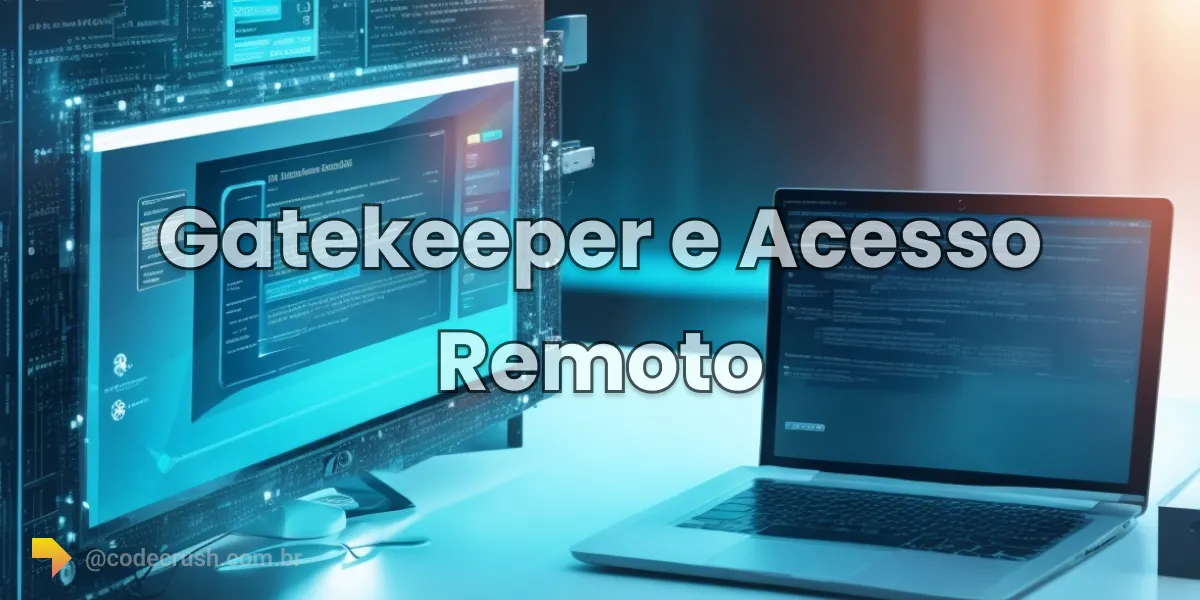
A Gatekeeper is an access control mechanism that protects corporate data in remote work: it verifies identity with multi-factor authentication (MFA), applies granular per-user permissions and logs each session in audit trails — blocking unauthorized access from any location.
- What is the Gatekeeper in remote access?
- Why does remote access require additional security?
- How does Gatekeeper robust authentication work?
- What access policies does Gatekeeper apply?
- How to implement Gatekeeper for remote teams?
What is the Gatekeeper in remote access?
In the context of remote access, the Gatekeeper is the security layer positioned between the employee and corporate resources. Before releasing any system or sensitive data, the Gatekeeper validates the user identity, checks the permissions associated with their role and logs the session activity — working as a digital doorman who decides who enters, what they enter and under what conditions.
This additional layer exists because, in remote work, employees connect from home, in transit or from distant branch offices, using laptops and mobile devices on external networks the company does not control. The traditional network perimeter ceases to exist, and information security comes to depend on verifying each access individually.
The Gatekeeper acts exactly at this point: instead of trusting the source network, it trusts only verified identities and explicit policies. This logic is the basis of the zero trust model formalized by NIST in publication SP 800-207, which recommends evaluating each access request independently, without presuming trust based on the user's location.
Why does remote access require additional security?
Remote access requires additional security because it expands the attack surface: credentials travel over home and public networks, personal devices mix with corporate ones and the attacker no longer needs to breach the office — just compromise a login. The Verizon DBIR 2025 found the human element in 60% of analyzed data breaches, and stolen credentials appeared in 88% of basic web application attacks.
The scenario is permanent, not transient. The Stack Overflow Developer Survey 2024 shows that 42% of developers work in a hybrid arrangement and 38% fully remote — meaning 4 in 5 tech professionals access corporate resources from outside the office regularly. As we detail in the guide on strategic remote work, this flexibility brings real productivity gains, but forces a rethink of access control.
Without a layer like the Gatekeeper, a single leaked password can expose entire systems. With it, the same leak bumps into additional identity verification, restricted permissions and activity monitoring — and the incident that would have been a breach becomes just a logged attempt.
How does Gatekeeper robust authentication work?
The Gatekeeper guarantees user identity with multi-factor authentication (MFA): beyond traditional login credentials, the employee must provide a second factor, such as a security token, an app-generated code or a fingerprint. Only after this layered verification is access to corporate resources granted.
The effectiveness of this mechanism is measurable. The study How effective is multifactor authentication at deterring cyberattacks?, conducted by Microsoft researchers on real Azure Active Directory accounts, measured that MFA reduces the risk of account compromise by 99.22% — and by 98.56% even when the password was already leaked. Alex Weinert, Microsoft's director of identity security, summed up the recommendation in an official company post: "your account is more than 99.9 percent less likely to be compromised if you use MFA".
In practice, this verification layer changes the attacker's calculus. Stealing a password via phishing is cheap; also intercepting the second factor, tied to the legitimate user's physical device, is much more expensive and risky. That is why the Gatekeeper treats MFA as an entry requirement, not an option, especially for accesses originating from external networks.
What access policies does Gatekeeper apply?
Beyond authentication, the Gatekeeper applies granular access policies: rules that define which resources and information each employee can access remotely. Permissions are adjusted by roles and responsibilities — the principle of least privilege — ensuring each user reaches only the information relevant to their own work.
This means a remote financial analyst sees financial systems but not engineering repositories; a developer accesses code environments but not payroll. If a credential is compromised, the damage stays confined to the scope of that role, instead of exposing the entire company.
The Gatekeeper also monitors and logs user activities during remote access. This audit trail documents who accessed what, when and from where — valuable input both for incident investigation and regulatory compliance. Companies subject to the LGPD (General Data Protection Law) use these records as evidence of the technical protective measures required by law.
Combined, strong authentication and granular policies turn the Gatekeeper into a virtual shield: only authenticated and authorized users reach sensitive company systems and data, regardless of each one's physical location.
How to implement Gatekeeper for remote teams?
Implementation works best as an incremental process. A practical roadmap:
- Map corporate resources accessed remotely — systems, repositories, databases — and classify them by sensitivity.
- Define role-based access policies, applying the least-privilege principle to each organizational role.
- Enable MFA for all users, prioritizing phishing-resistant factors such as authenticator apps and hardware keys.
- Configure activity logging and audit trails before granting access, not after the first incident.
- Communicate changes to the team and train login flows, reducing friction and support tickets.
- Review permissions periodically, removing access for those who changed roles or left the company.
The process has known pitfalls — user resistance, integration with legacy systems, too much login friction — which we cover in detail in the article on Gatekeeper implementation challenges. Here at CodeCrush, the Gatekeeper series covers each layer of this architecture in dedicated posts.
Conclusion
With 4 in 5 developers working outside the office at least part of the week, treating remote access as an exception is a design error: it is the default case, and security needs to be designed for it from the start. The Gatekeeper solves this by trading trust in the network for trust in identity — MFA at the door, least privilege inside and auditing throughout. If your organization still relies only on passwords and VPN to protect corporate data, the number that matters is just one: 99.22% of the risk of account compromise disappears with a single well-implemented control.
Recommended for this topic
Picked by the editors — only what we would use.
Liss Fashion Variedades
Roteador Wireless Tp Link Ex521 Wifi 6 Ax3000 3000Mbps Dual Band 2 4Ghz 5Ghz Portas Gigabit
Brandão MegaStore
Roteador Tp Link Ex521 Ax3000 Wifi 6 Dual Band Gigabit EasyMesh Internet Residencial Comercial
Liss Fashion Variedades
Adaptador USB Wireless WI-FI Nano AC600 2.4ghz E 5ghz T2u TP LINK
## faq
Frequently asked questions
What is a Gatekeeper for in remote access?
A Gatekeeper serves as a control layer between the remote user and corporate resources. It authenticates identity with multiple factors, applies role-specific permissions and logs session activity, preventing stolen credentials or compromised devices from reaching sensitive company systems and data.
Does a Gatekeeper replace VPN for remote work?
No, they are complementary layers. A VPN encrypts the communication tunnel between the device and the corporate network, while the Gatekeeper controls identity and authorization: who enters, with what verification and which resources they are entitled to. Using only a VPN grants too broad access; the Gatekeeper restricts that access per user.
What is multi-factor authentication (MFA)?
MFA (Multi-Factor Authentication) is the method that requires two or more proofs of identity before granting access: something you know (password), something you have (token or phone) and something you are (biometrics). Microsoft research measured a 99.22% reduction in the risk of account compromise with MFA enabled.
How does Gatekeeper help with LGPD compliance?
The LGPD (General Data Protection Law) requires technical measures to protect personal data. Gatekeeper contributes by restricting access to sensitive data by role, recording who accessed what and when in audit trails, and providing evidence of these measures in case of audit or incident.
What are granular access policies?
Granular access policies are rules that define, per user or role, which resources can be accessed, from where and under what conditions. Instead of granting the entire network, the organization grants the minimum necessary for each role, reducing the impact of a compromised credential in remote work.
Topics in this article
## continue lendo
Artigos relacionados

Keep browsing
Previous article
Gatekeeper and MFA: how to strengthen enterprise security
MFA requires two or more authentication factors and, integrated with the Gatekeeper, reduces the risk of compromised enterprise accounts by 99.22%.
Read moreNext article
Gatekeeper: implementation challenges and how to solve them
The 4 biggest challenges when implementing a Gatekeeper: legacy integration, training, access policies, and compliance — with practical strategies.
Read moreAbout the author
