- Published on
- · July 10, 2026
Gatekeeper: what it is and how it protects digital access
- Blog

- Henrico Piubello
- Henrico Piubello
- IT Specialist - Grupo Voitto
IT Specialist - Grupo Voitto
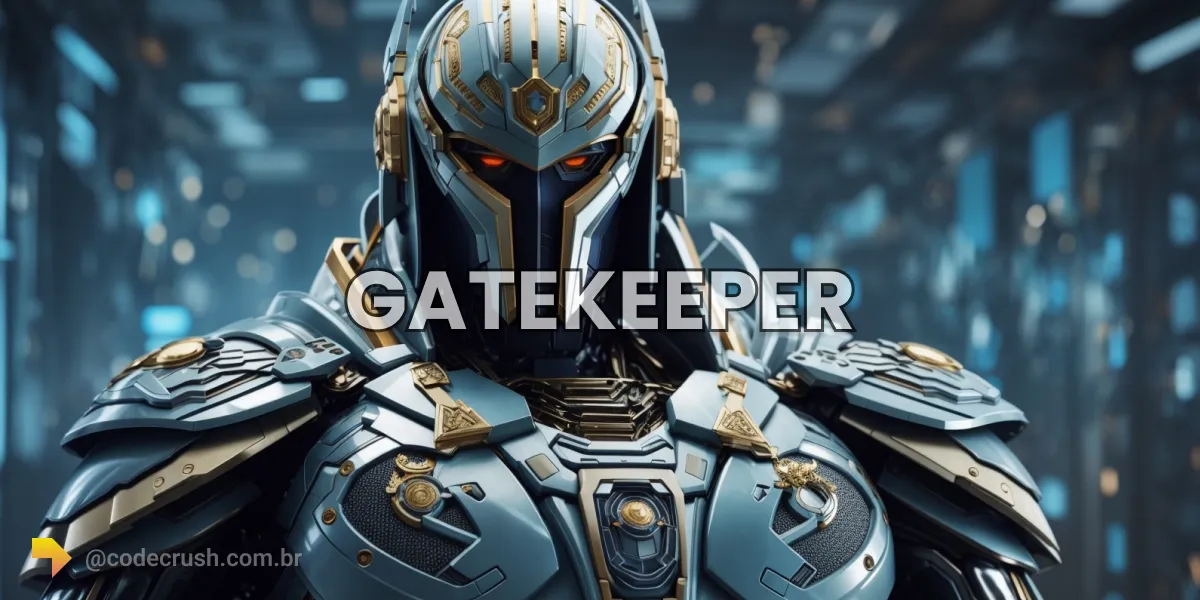
A Gatekeeper is an access control mechanism that authenticates and authorizes users before releasing sensitive resources. It works as a digital guardian: it verifies credentials, applies permission policies and records every access attempt, allowing only legitimate users through and blocking invaders.
- What is a Gatekeeper?
- How does a Gatekeeper work?
- What are the benefits of a Gatekeeper?
- How does a Gatekeeper integrate with SSO and MFA?
- How does a Gatekeeper connect to IAM, IDS/IPS and other systems?
- When is it worth adopting a Gatekeeper?
What is a Gatekeeper?
A Gatekeeper is an information security solution that controls and monitors access to systems and sensitive data. It authenticates each user's identity, authorizes only what that profile may do and keeps a record of every access attempt, acting as a single, guarded door to the organization's resources.
The name comes precisely from the idea of "gate guardian": nothing enters without going through verification. Instead of trusting that whoever reached the system is legitimate, the Gatekeeper assumes that every access needs to be proven — an approach aligned with the Zero Trust model adopted by large technology companies.
This layer is especially critical in corporate environments, where financial data, trade secrets and personal information must be restricted to specific employees and departments. The context is urgent: according to the 2025 Verizon report (DBIR), stolen credentials appeared in 22% of data breaches, and 88% of web application attacks used compromised passwords. Controlling access is no longer optional.
How does a Gatekeeper work?
A Gatekeeper works by chaining five mechanisms: it authenticates the user, verifies their authorization, applies granular access control, monitors activities and enforces security policies. Each request goes through these steps before any resource is released — if any verification fails, access is denied and recorded.
| Step | What it does | Practical example |
|---|---|---|
| Authentication | Confirms the user identity | Password, token or biometrics |
| Authorization | Verifies profile permissions | Access only to the department folder |
| Granular access | Limits actions by role | Read yes, delete no |
| Monitoring | Records logins and attempts | Access audit trail |
| Policies | Enforces security rules | MFA and strong password mandatory |
User authentication and authorization
The Gatekeeper starts by requesting authentication credentials — username and password, a token or a biometric factor. These credentials are checked against a secure repository to prove the identity. Once authenticated, the user goes through authorization verification, which applies predefined policies to determine which actions and resources that profile may access.
Granular access control
The Gatekeeper applies granular access control, in which different users receive different permissions according to their roles and responsibilities. It can restrict areas or features of the system, following the least privilege principle: each person accesses only what is strictly necessary for their work, reducing the attack surface.
Monitoring and security policies
The Gatekeeper records all access events — successful logins, denied attempts and relevant actions — generating the audit trail essential for investigating incidents. Finally, it enforces organization-specific policies, such as strong passwords, multifactor authentication and location restrictions, adapting the rigor to each sector's regulatory requirements.
What are the benefits of a Gatekeeper?
A Gatekeeper reduces security risks, supports regulatory compliance and centralizes access management. By blocking improper credentials at the front door, it attacks directly the most common — and most expensive — invasion vector. The 2025 IBM report calculated the global average cost of a breach at US 4.67 million when the source was a compromised credential.
The main gains from adopting a Gatekeeper are:
- Risk reduction: authenticating and authorizing each access blocks invaders before they reach confidential data, cutting breaches and leaks.
- Regulatory compliance: access control and auditing help demonstrate adherence to the LGPD and GDPR (General Data Protection Regulation), avoiding penalties.
- Threat detection: anomalous access patterns and suspicious behavior trigger real-time alerts against phishing and account takeover.
- Centralized management: permissions are granted and revoked from a single point, reducing errors of excess or lack of access.
- Visibility and control: monitoring offers a complete view of accesses, allowing permissions to be revoked immediately when needed.
Combined, these benefits strengthen the security posture and protect the organization's most valuable asset: its data. It is worth remembering that the average breach cost fell 9% compared to 2024, driven by faster detection — exactly what a good access control layer enables.
How does a Gatekeeper integrate with SSO and MFA?
A Gatekeeper integrates with SSO (Single Sign-On) to simplify login and with MFA (multifactor authentication) to reinforce security. With SSO, the user accesses multiple systems with a single set of credentials; with MFA, each login requires a second factor beyond the password. The Gatekeeper orchestrates the two layers, uniting convenience and protection.
SSO eliminates the proliferation of passwords — and weak or reused passwords are one of the biggest corporate risks. By concentrating authentication on a single portal, the Gatekeeper reduces the attack surface and eases management. Integration with MFA in the Gatekeeper adds the decisive factor: even if a password leaks, the invader cannot complete the login without the second factor.
The impact is measurable. A Microsoft study concluded that MFA blocks more than 99.2% of account compromise attacks, even in the face of the roughly 600 million identity attacks the company observes per day. For distributed teams, this layer is even more strategic in remote access via Gatekeeper, where the traditional office perimeter disappears.
How does a Gatekeeper connect to IAM, IDS/IPS and other systems?
A Gatekeeper connects to IAM (Identity and Access Management) systems, IDS/IPS (Intrusion Detection and Prevention Systems), SIEM and DLP to form end-to-end defense. Alone, it controls access; integrated, it shares security intelligence and coordinates responses with the other tools in the environment.
Integration with IAM centralizes identity and permission management. When an employee is hired or terminated, their access is provisioned or revoked consistently across all systems at once, applying uniform security policies and eliminating orphaned accounts.
With IDS/IPS, the Gatekeeper enriches intrusion detection. If a user tries to access a resource without permission, that event can signal an intrusion attempt — and the IDS/IPS acts proactively to block it. The same logic applies to SIEM, which correlates security events, and to DLP (data loss prevention), which prevents the exfiltration of sensitive information. To deepen the defense against internal threats, many organizations also add user behavior analysis (UBA), which detects subtle deviations in each account's access pattern.
When is it worth adopting a Gatekeeper?
It is worth adopting a Gatekeeper whenever the organization handles sensitive data, needs to comply with regulations or has multiple systems and access profiles. The larger the user base and the exposure to confidential data, the more access control stops being a luxury and becomes an operational and legal requirement.
In practice, the trigger is usually a compliance audit, a security incident or team growth. Before choosing the approach, assess the volume of systems to protect, the LGPD requirements for your sector and the maturity of your identity governance. There are different formats for different contexts — it is worth knowing the types of Gatekeeper before deciding. CodeCrush tools and content help map this path, from concept to implementation.
Conclusion
Adopting a Gatekeeper is less about buying a tool and more about changing the security premise: instead of trusting whoever already got in, you demand proof of identity and permission at every access. With stolen credentials still at the top of attack vectors and breaches costing millions, strict access control is the investment with the best effort-to-protection ratio. Start with the basics — mandatory MFA and least privilege — and evolve toward integrations with IAM and continuous monitoring. The most effective guardian is the one who never opens the door without checking who is on the other side.
Recommended for this topic
Picked by the editors — only what we would use.
Liss Fashion Variedades
Adaptador USB Wireless WI-FI Nano AC600 2.4ghz E 5ghz T2u TP LINK
SHOP MEGASTORE VARIEDADES
Roteador Tp Link Ex521 Wifi 6 Dual Band Ax3000 4 Antenas EasyMesh Cobertura Wifi Casa Grande
Liss Fashion Variedades
Roteador Tp Link Ex521 Wifi 6 Ax3000 Gigabit 4 Antenas Internet Rapida Casa Escritorio Home Office
## faq
Frequently asked questions
What is a Gatekeeper for?
A Gatekeeper serves to control who accesses systems and sensitive data. It authenticates the user''s identity, verifies whether they have permission for the requested resource and records each attempt. Thus, only authorized people pass through, while invaders and improper access are blocked before causing harm.
What is the difference between authentication and authorization in a Gatekeeper?
Authentication confirms who the user is, usually via password, token or biometrics. Authorization defines what that already-authenticated user can do, applying permission policies by role. The Gatekeeper executes both steps in sequence: first it proves the identity, then it releases only the resources allowed for that profile.
Is a Gatekeeper the same thing as a firewall?
No. A firewall filters network traffic based on ports, IPs and protocols, operating at the network layer. The Gatekeeper acts at the identity and application layer, deciding access based on who the user is and their permissions. The two complement each other in a layered security strategy.
How does a Gatekeeper relate to SSO and MFA?
SSO (Single Sign-On) allows a single login for multiple systems, and MFA (multifactor authentication) requires a second factor beyond the password. The Gatekeeper orchestrates both: it uses SSO to simplify the experience and MFA to reinforce authentication, blocking more than 99% of password-based attacks.
Is it worth implementing a Gatekeeper in 2026?
Yes. With stolen credentials present in 22% of 2025 breaches (Verizon DBIR) and the average cost of a breach at US$ 4.44 million (IBM), strict access control has become a requirement. A Gatekeeper reduces risk, supports LGPD compliance and centralizes permission governance.
Topics in this article
## continue lendo
Artigos relacionados



Keep browsing
Previous article

Metaverse: what it is, how it works, and what comes next
The metaverse is a shared 3D virtual space that combines virtual reality, augmented reality and blockchain so people can interact, work and trade online.
Read moreNext article
Linear Regression: What It Is, How to Model and Evaluate
Understand linear regression: how it models relationships between variables with a line, predicts continuous values, and is measured with R2 and RMSE.
Read moreAbout the author
