- Published on
- · July 10, 2026
5 Sites to Learn CSS by Playing: Flexbox and Grid
- Blog

- Henrico Piubello
- Henrico Piubello
- IT Specialist - Grupo Voitto
IT Specialist - Grupo Voitto
The five best sites to learn CSS (Cascading Style Sheets) by playing are Flexbox Froggy, Flexbox Zombies, CSS Grid Garden, Flexbox Defense and Grid Critters. All teach Flexbox and Grid, the two layout systems of modern CSS, with interactive challenges and immediate feedback right in the browser.
- What are the 5 best sites to learn CSS?
- How does Flexbox Froggy teach CSS Flexbox?
- Flexbox Zombies: learn Flexbox surviving the apocalypse
- How does CSS Grid Garden teach CSS Grid?
- Flexbox Defense: defense towers positioned with Flexbox
- Grid Critters: is it worth it to master CSS Grid?

What are the 5 best sites to learn CSS?
The five sites below turn layout study into a game: you write real CSS code over an already-built semantic HTML (HyperText Markup Language) and see the result instantly. Three are free browser games; the other two are game-courses by Mastery Games, with narrative and long-term progression.
- Flexbox Froggy — a free game by Codepip where you position frogs in a pond using Flexbox properties.
- Flexbox Zombies — a Mastery Games game-course with a zombie apocalypse narrative to reinforce Flexbox.
- CSS Grid Garden — a free game where you grow a carrot garden by writing CSS Grid.
- Flexbox Defense — a tower defense where towers are positioned with Flexbox properties.
- Grid Critters — Dave Geddes game-course to master CSS Grid by helping aliens get back home.
| Site | Focus | Format |
|---|---|---|
| Flexbox Froggy | CSS Flexbox | Free browser game (Codepip) |
| Flexbox Zombies | CSS Flexbox | Game-course with narrative (Mastery Games) |
| CSS Grid Garden | CSS Grid | Free browser game (Codepip) |
| Flexbox Defense | CSS Flexbox | Free tower defense strategy game |
| Grid Critters | CSS Grid | Complete game-course (Mastery Games) |
Mastering these two layout systems is a safe investment for anyone working with frontend: according to the Stack Overflow Developer Survey 2025, HTML/CSS is used by 62% of developers, behind only JavaScript at 66%. If you are starting from scratch, the CodeCrush guide on how the CSS language works explains the fundamentals before the practice.
How does Flexbox Froggy teach CSS Flexbox?
Flexbox Froggy teaches CSS Flexbox by asking you to move frogs onto the correct lily pads by writing real properties like justify-content and align-items. The game is created by Codepip, free, runs right in the browser and is translated into about 40 languages, including Portuguese.
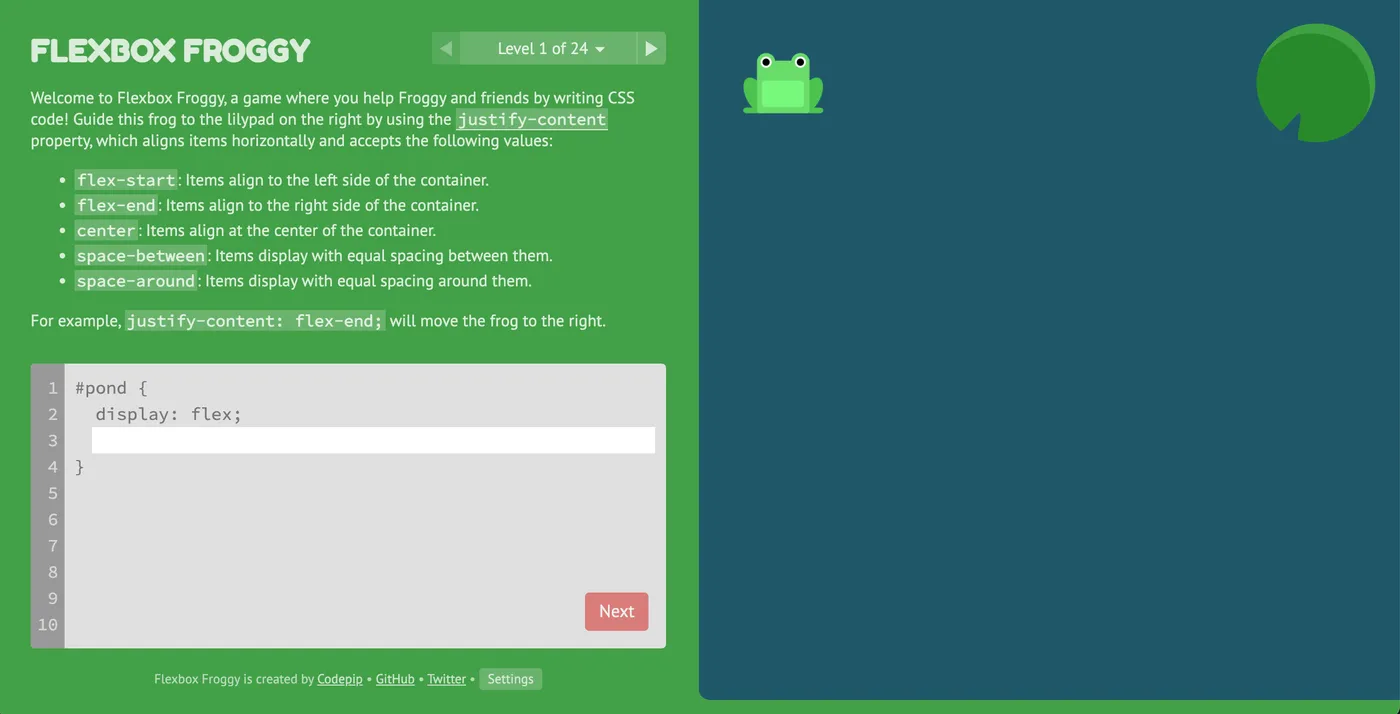
Flexbox is the CSS module that creates flexible, responsive layouts in one dimension, making it easier to position and align elements inside a container, regardless of screen size or device. Each Flexbox Froggy challenge corresponds to a Flexbox property documented on MDN, and you need to apply it correctly to get the frog to the right leaf.
The game is composed of several levels of increasing difficulty. In each, you get a specific arrangement of lily pads and a hint about which property to use; your task is to write the correct value until the frog reaches the destination. Feedback is immediate: if the property is right, the frog moves right away; if not, you adjust and try again, with no penalty.
This combination of short levels, instant feedback and zero setup makes Flexbox Froggy the most recommended entry point on this list for anyone who has never written a line of Flexbox.
Flexbox Zombies: learn Flexbox surviving the apocalypse
Flexbox Zombies is a game-course by Mastery Games that teaches CSS Flexbox inside a survival narrative in a zombie apocalypse. Instead of isolated exercises, each chapter presents realistic design scenarios that require correct use of Flexbox properties to advance the story.
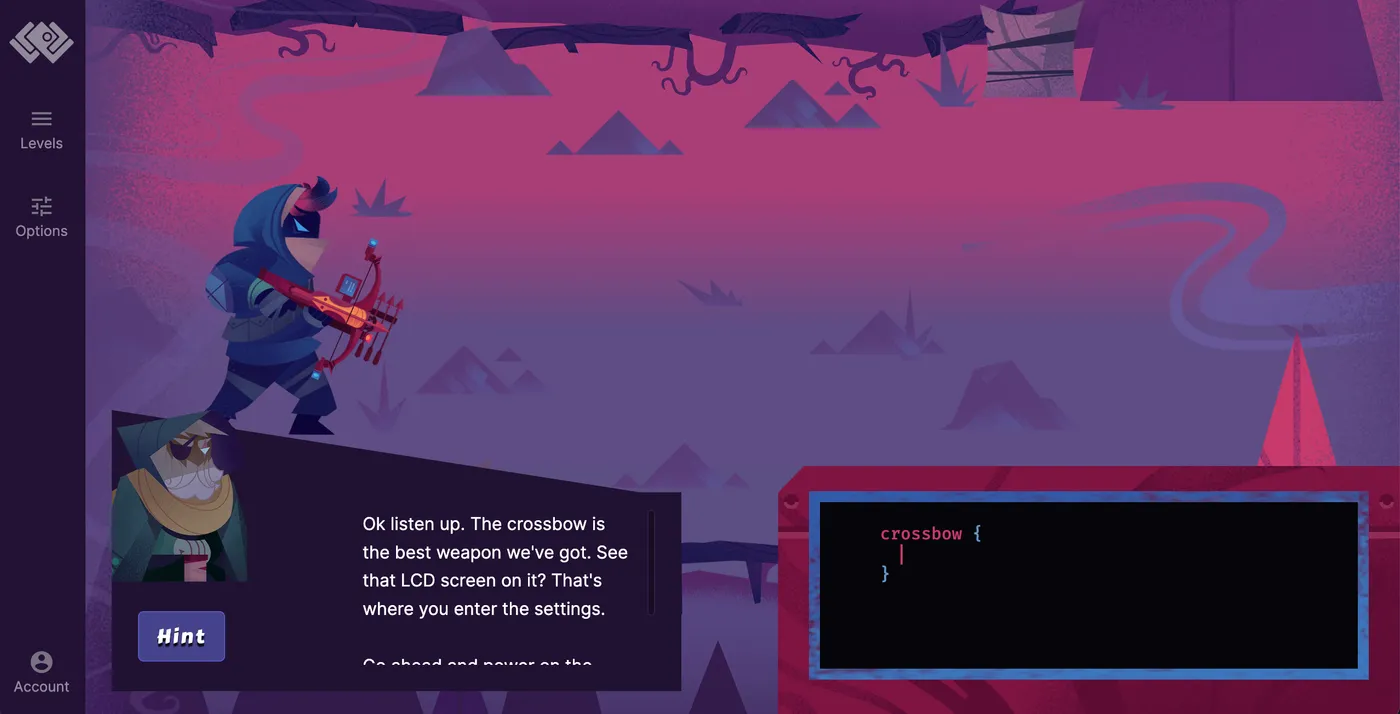
When you access the site, you are presented as a survivor in a world infested by zombies. To communicate with other survivors, you need to build an interactive story page — and that is where learning kicks in: each step asks for a responsive layout built with Flexbox, from basic positioning to fine alignment of multiple elements.
The big differentiator of Flexbox Zombies is repetition in different contexts: properties reappear across chapters in new situations, which helps reinforce the content instead of memorizing it for a single exercise. The game also offers instant feedback on each choice, allowing you to learn from mistakes and try different approaches.
For those who already finished Flexbox Froggy and want to consolidate knowledge with longer, more contextualized challenges, Flexbox Zombies is the natural progression.
How does CSS Grid Garden teach CSS Grid?
CSS Grid Garden teaches CSS Grid by turning each cell of a grid into a piece of land: you write properties like grid-column and grid-row to water the right carrots and remove weeds. The game is free, runs in the browser and follows the same progressive-level format as Flexbox Froggy.
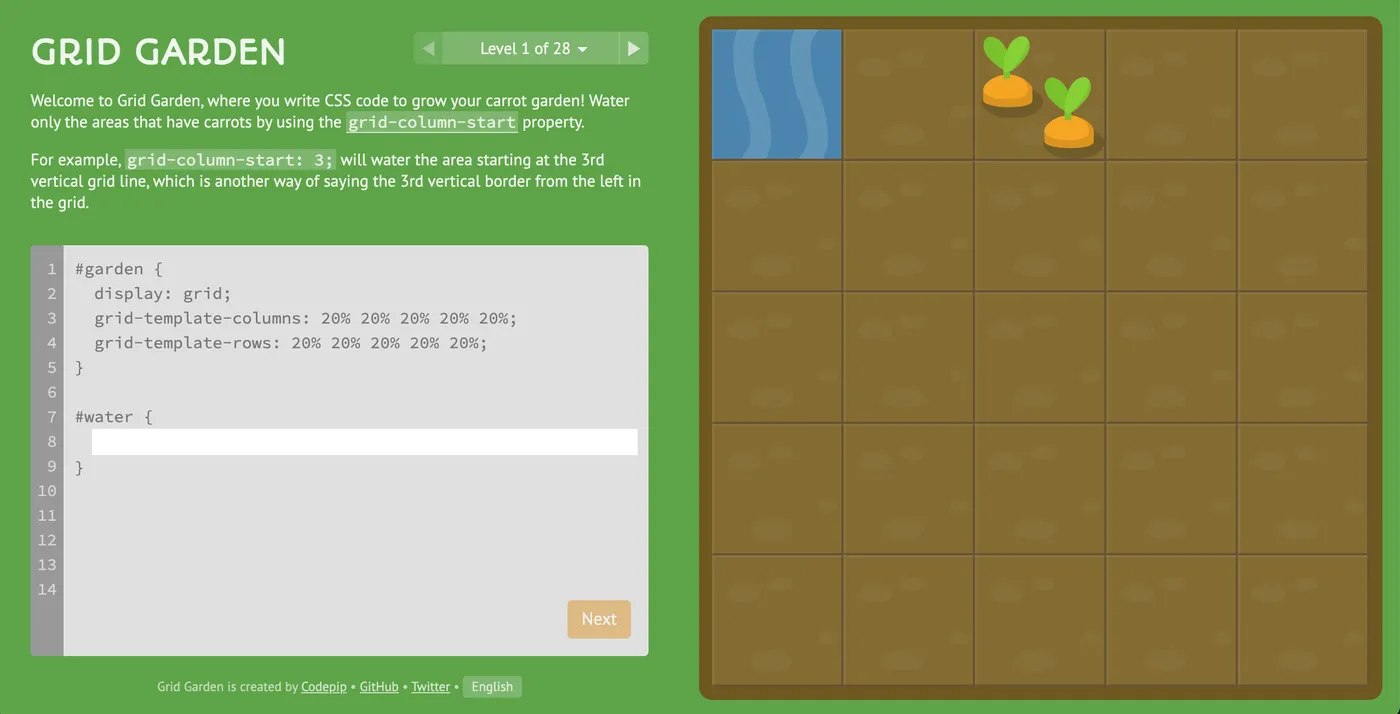
CSS Grid is the CSS layout system that organizes elements in rows and columns inside a container, allowing you to create complex, responsive structures with few lines of code. In Grid Garden, each level brings a specific task: creating rows and columns, defining areas, controlling spacing between elements or adjusting item layout in the grid.
To solve the challenges, you need to understand how CSS Grid properties work and how to combine them to achieve the desired layout. As you progress, levels become more complex and gradually introduce advanced features. Visual feedback is immediate: if you get it right, the garden blooms; if not, you adjust the code and try again.
Learning Grid today also lays the groundwork for the future of the language: in the State of CSS 2025, subgrid — a Grid extension for nested grids — ranked second among the most loved features by survey participants.
Flexbox Defense: defense towers positioned with Flexbox
Flexbox Defense is a free strategy game in the tower defense style where you protect a web page by positioning defense towers with CSS Flexbox properties. Each enemy wave is only contained if the towers are in the right place — and the only way to move them is by writing CSS.
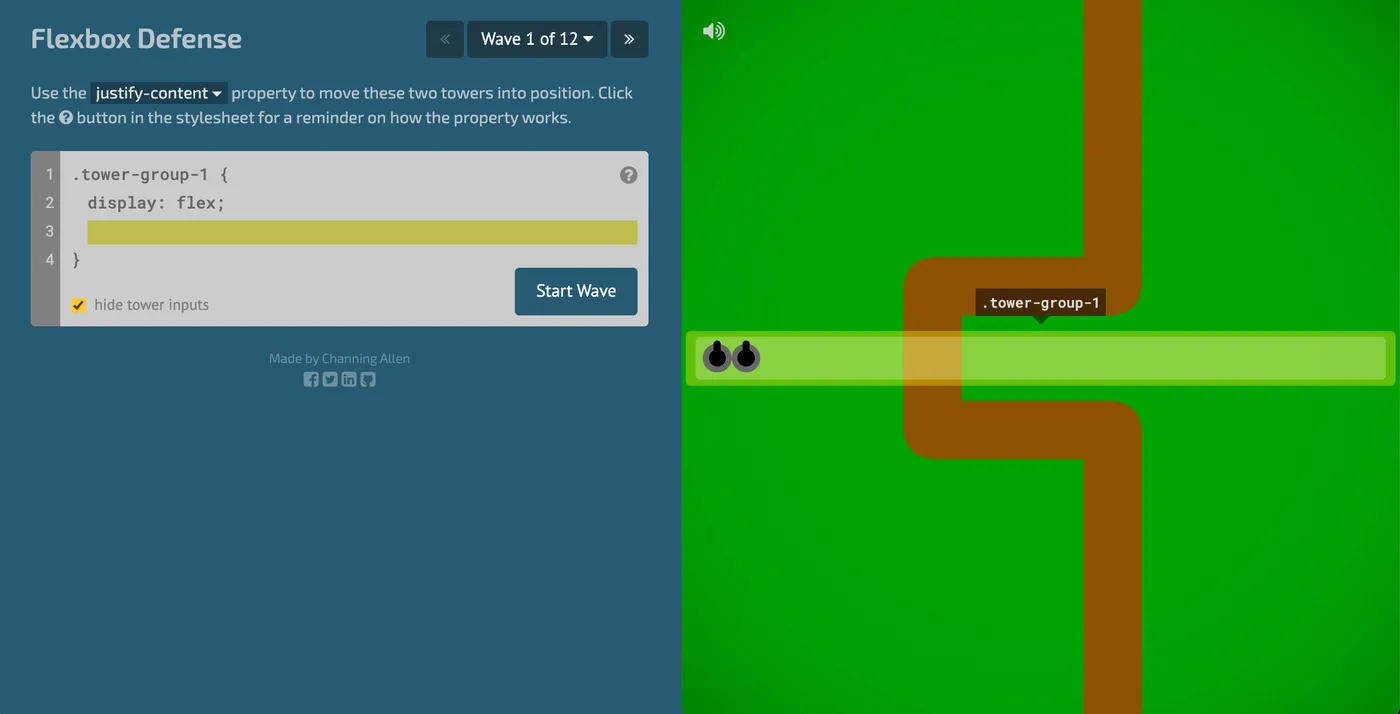
Each level of Flexbox Defense presents a different page configuration. Towers are HTML elements inside flex containers, and you use properties like justify-content and align-items to shift them to strategic points along the path. The goal is to find the right combination of properties so invaders do not breach the defense.
As levels advance, challenges require increasingly precise combinations, which forces you to reason about the main axis and cross axis of Flexbox — exactly the kind of intuition that separates those who memorized syntax from those who truly understand the model. If you enjoy this learning format, also check out the 10 sites with programming challenges to practice other skills.
Grid Critters: is it worth it to master CSS Grid?
Grid Critters is worth it for anyone wanting to go beyond the basics: it is the most in-depth material on this list about CSS Grid, in the format of a game-course created by Dave Geddes, the same author of Flexbox Zombies at Mastery Games. The adventure takes place on an alien planet where you guide the "Grid Critters" back to their spaceships using the grid.
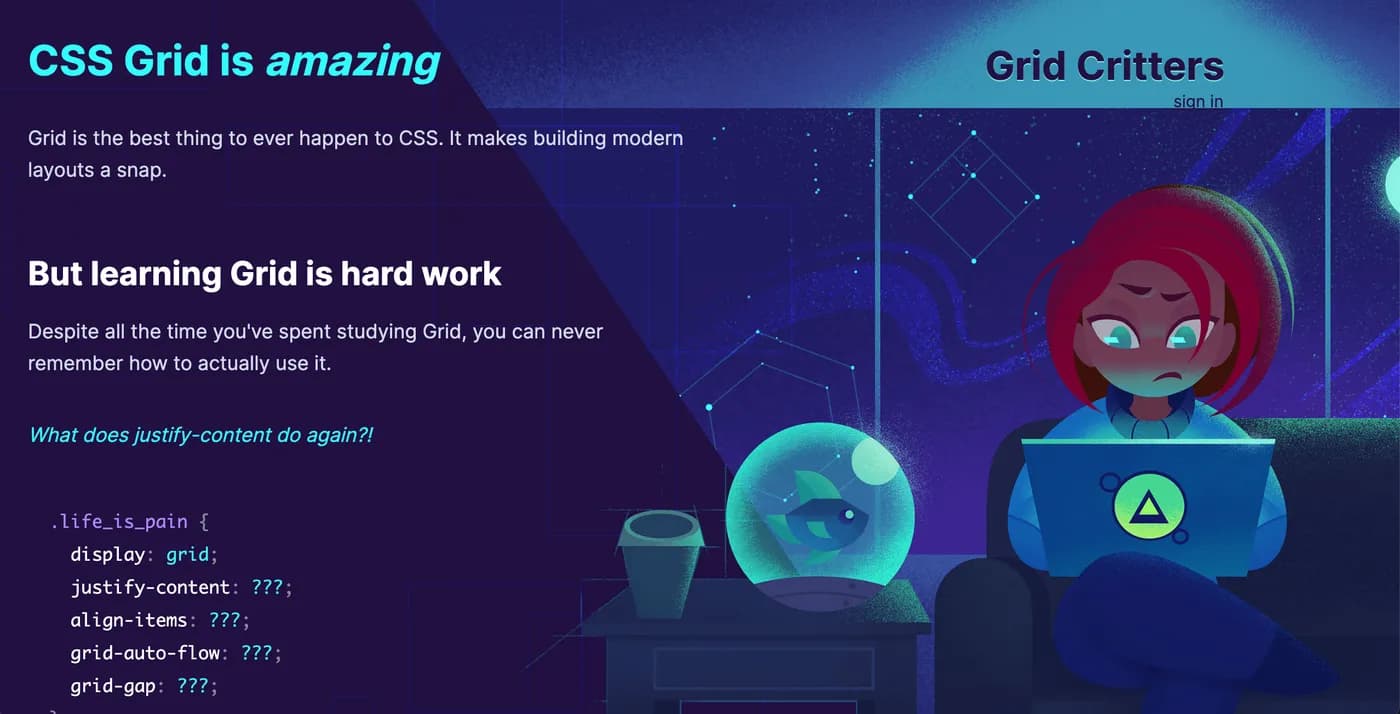
On the Grid Critters site, each level is a unique layout puzzle: a grid scenario where you apply CSS Grid properties to move characters to the destination. Concepts are presented progressively, from the fundamentals of rows and columns to complex, responsive layouts, with a soundtrack and graphics that make the journey more enjoyable.
Investing time in a structured Grid course makes sense given the current pace of the language: the same State of CSS 2025 survey measured 80.4% adoption of the :has() selector among respondents — a feature that did not even exist in browsers a few years ago. Those who master Grid fundamentals absorb these novelties much more easily.
Conclusion
Learning CSS by playing works because it swaps passive reading for practice with immediate feedback — the same mechanism that makes a game addictive fixes layout properties in memory. The most efficient path is to start today with Flexbox Froggy, consolidate with Flexbox Defense, move to CSS Grid Garden and, if you want professional depth, invest in the Mastery Games game-courses. Once layout is mastered, the natural next step in web development is interactivity: check out the 7 sites to practice JavaScript and complete your frontend foundation.
Recommended for this topic
Picked by the editors — only what we would use.
## faq
Frequently asked questions
What is the best site to learn CSS for free?
Flexbox Froggy and CSS Grid Garden are the best free starting points: they run right in the browser, require no sign-up and cover the essential Flexbox and Grid properties in progressive levels. After those, Flexbox Defense reinforces learning by applying the same properties in a strategy game.
Flexbox or CSS Grid: which to learn first?
Learn Flexbox first. Flexbox handles alignment and distribution in one dimension (row or column) and appears in virtually every modern layout. CSS Grid works in two dimensions and complements Flexbox in full pages. In practice, the two coexist: Grid for structure, Flexbox for components.
Do I need to know HTML before learning CSS?
Yes. CSS styles elements defined in HTML, so you need to understand tags, classes and document structure before styling it. The good news: HTML basics take only a few days to learn, and the games on this list already provide the HTML ready, letting you focus solely on CSS properties.
Is it worth learning CSS in 2026?
Yes. According to the Stack Overflow Developer Survey 2025, HTML/CSS is used by 62% of developers, behind only JavaScript. Every web product depends on CSS for layout and visual identity, and recent features like subgrid and the :has() selector show the language keeps evolving rapidly.
Topics in this article
## continue lendo
Artigos relacionados


Keep browsing
Previous article

Automation Chatbots: 4 Tools to Sell More
ManyChat, BotConversa, ConvertoBot, and ActiveCampaign automate customer service and marketing to sell more on WhatsApp, Instagram, and email.
Read moreNext article

AI Tools for Design: 6 Image Generators
Midjourney, DALL-E, Leonardo AI, Stockimg, Bing Image Creator, and BlueWillow: compare six AI tools that generate images from text.
Read moreAbout the author
